
Mimaki Driver Ver.5.6.9 (32bit)
| Device Driver | |
| 5.6.9 | |
| 2023年03月16日 | |
|
Windows 8.1 (32bit)
Windows 10 (32bit) |
|
| APC-130, CF3-1610M, CF3-1610R1, CF3-1610TF2, CF3-1631M, CF3-1631R1, CF3-1631TF2, CF22-1225RC-S, CF22-1225RT-S, CF22-1225T-S, CF22-1225TD-S, CF22-1225TF-S, CG-60AR, CG-60SRIII, CG-75FXII, CG-75FXII Plus, CG-100AR, CG-100SRIII, CG-130AR, CG-130FXII, CG-130FXII Plus, CG-130SRIII, CG-160FXII, CG-160FXII Plus, CJV150-75, CJV150-75BS, CJV150-107, CJV150-107BS, CJV150-130, CJV150-130BS, CJV150-160, CJV150-160BS, CJV300-130, CJV300-130 Plus, CJV300-130BS, CJV300-160, CJV300-160 Plus, CJV300-160BS, CJV330-130, CJV330-160, JFX600-2513, JV100-160, JV150-130, JV150-130A, JV150-130BS, JV150-160, JV150-160A, JV150-160BS, JV300-130, JV300-130 Plus, JV300-130A, JV300-130BS, JV300-160, JV300-160 Plus, JV300-160A, JV300-160BS, JV300-190, JV330-130, JV330-160, TS100-1600, TS330-1600, TxF150-75, UCJV300-75, UCJV300-107, UCJV300-130, UCJV300-160, UJF-3042MkII, UJF-3042MkII EX, UJF-3042MkII EX e, UJF-3042MkII e, UJF-6042MkII, UJF-6042MkII e, UJF-7151 plus, UJF-7151 plusII, UJF-A3MkII, UJF-A3MkII EX, UJV100-160 |
About support for 32bit and Windows8.1 ended
Microsoft support for Windows 8.1 ended on January 10, 2023.
Along with this, RasterLink7 and Mimaki Driver support for 32bit and Windows8.1 will be ended.
This version is the final version that can be operated in 32bit and Windows8.1.
Later version will only be in 64bit and operate in Windows10 or above.
In order to use the latest version of RasterLink7, PC with Windows11/Windows10(64bit) is recommended.
The following functions have been change
[Ver.5.6.8 -> Ver.5.6.9]
The following models are available.
- TxF150
The following defects have been improved.
- When using nozzle recovery on two layers, the panel may indicate that some nozzles are not recoverable even though nozzle recovery is possible.
[Target printer] JV330, CJV330
[Ver.5.6.7 -> Ver.5.6.8]
The following defects have been improved.
- When setting [Step & Repeat] and print, printing speed slows down.
- When combining [RIP and Print] and [Tiling], the left edge of the second and subsequent tiles may be cut off by several centimeters.
- At MkII and MkIIe, discharged result has changed only specific data.
- JFX600 which mounted LUS-120 four colors are not displayed on the printer registration screen, and the printer cannot be registered.
- The layer output icon is not displayed on the thumbnail image during 2.5D printing/ composite printing.
- When combining the pre-print margin and [Step & Repeat], a portion of the printing area is output without printing.
[Ver.5.6.6 -> Ver.5.6.7]
- When using RasterLink7, primer recommended density has been supported at LH-100 and LUS-120 in JFX600
- The following defects have been improved.
When using RasterLink7, white ink at higher density printing cannot be executed in the combinations of printer and ink set described below.
UJF-6042MkIIe、UJF-3042MkII Ex e Ink set: CMYKClPrWW
[Ver.5.6.5 -> Ver.5.6.6]
- Improved operation during Ethernet communication.
[Ver.5.6.4 -> Ver.5.6.5]
The following defects have been improved.
- When nozzle recovery is enabled, an error may occur during output.
[Target printer] JV300, JV150, CJV300, CJV150
[Ver.5.6.3 -> Ver.5.6.4]
- The following Colors are available in JFX600.
LUS-120 4Color / 6Color+SP / 4Color+SP
[Ver.5.6.2.2 -> Ver.5.6.3]
The following defects have been improved.
- Cannot output from FineCoat when using DCF-605PU.
- When using combination of USB1.1 and Windows10/11, connection may not be possible depending on state of PC UCSI device (USB type-C).
[Target printer] USB1.1 device (CG-SR2, CG-FXII)
[Ver.5.6.2 -> Ver.5.6.2.2]
The following defects have been improved.
- Fix the defect that may cause graininess when printed with Hi scan.
[Target printer] UJV100 4C+SP, UJV100 SP+4C, JV100 8C
[Ver.5.6.1 -> Ver.5.6.2]
- The following models are available.
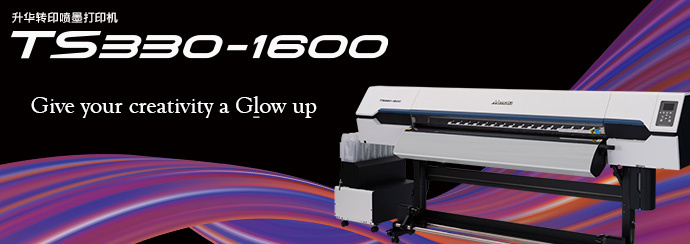
JV330, CJV330, TS330
- LUS-200 ink is available in the following printers.
UJF-3042MkII, UJF-3042MkII EX, UJF-6042MkII
- The following Colors are available in JFX600.
LUS-150 4Color, LUS-150 6Color+SP
[Ver.5.6.0 -> Ver.5.6.1]
- LUS-210 ver2 ink is available in UJV100.
[Ver.5.5.3 -> Ver.5.6.0]
- LUS-200 ink is available in the following printers.
UJF-3042MkII e, UJF-3042MkII Ex e, UJF-6042MkII e
[Ver.5.5.2 -> Ver.5.5.3]
The following defects have been improved.
- For a job of color layer or white layer, illuminance does not change at printing even after illuminance of UV mode is changed and printing is executed.
[Ver.5.5.1 -> Ver.5.5.2]
- In JFX600, Glossy Print can be selected by UV mode of clear plate.
- In JFX600, following Special Color Over Print is available.
[Ver.5.5.0 -> Ver.5.5.1]
- Added support for silver ink on the UJF-7151plusII.
[Ver.5.4.2 -> Ver.5.5.0]
- The following models are available.
UJF-7151plusII, UJF-6042MkIIe, UJF-3042MkIIe, UJF-3042MkII EXe
[Ver.5.4.1 -> Ver.5.4.2]
- The following models are available.
UCJV300
[Ver.5.4.0 -> Ver.5.4.1]
- The following models are available.
UJF-7151, UJF-6042MkII, UJF-3042MkII, UJF-3042MkII EX, UJF-A3MkII, UJF-A3MkII EX
[Ver.5.3.3 -> Ver.5.4.0]
- The following models are available.
JV300, JV150, JV300Plus, CJV300, CJV150, CJV300Plus
[Ver.5.3.0 -> Ver.5.3.3]
- Image quality defects that occur under certain conditions have been improved.
[Ver.5.1.0 -> Ver.5.3.0]
- TS100 are available.
- Improved operation during Ethernet communication. (JV100, UJV100)
[Ver.5.1.0]
- JV100 is available.